Leave Your Message

Top 10 Computer Table Types for Global Buyers

Choosing the right Computer Table is no longer a simple matter of matching a desk to a monitor. Global buyers must consider room size, working habits, shipping conditions, assembly time, and long-term comfort. A table that works well in a compact apartment may feel unstable in a shared office. A large executive model may look impressive, yet waste valuable floor space.

Ergonomist Dr. Alan Hedge is widely associated with the practical reminder, “The best posture is the next posture.” This idea matters when comparing computer tables. A height-adjustable table supports movement. A corner table uses awkward spaces. A gaming table may offer cable channels, while a folding model favors flexible rooms. Each design solves a different problem. None is perfect.

This guide examines the top 10 Computer Table types for global buyers, from compact writing desks to electric standing models. It considers materials, dimensions, stability, storage, cable management, and user comfort. Buyers should also inspect load capacity and packaging quality. These details can decide whether a table arrives ready for work or becomes an expensive repair project.

There are trade-offs.

Some popular tables look practical online but feel shallow in person. Product photos can hide weak joints, sharp edges, or limited legroom. Measurements should be checked twice. Regional preferences also differ, and one universal ranking may oversimplify real purchasing decisions. Still, comparing these ten categories provides a clearer starting point for homes, schools, offices, and professional workspaces worldwide.
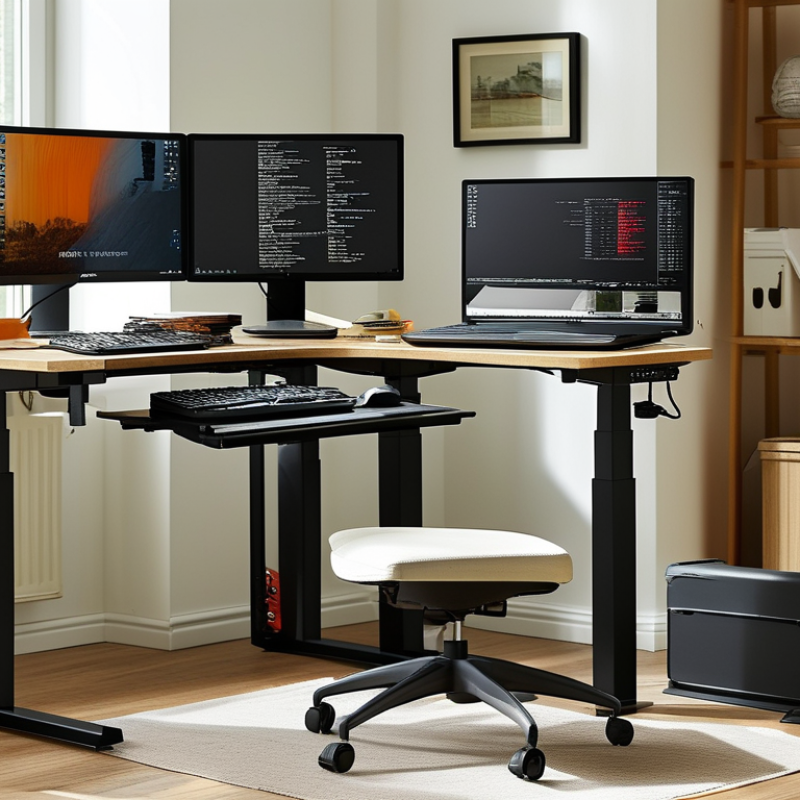
Top 10 Computer Table Types for Global Buyers

Understanding Computer Table Types and Their Global Uses

Computer Table Types for Global Buyers

Understanding computer table types requires more than comparing sizes. A standard rectangular table suits classrooms, home offices, and shared workrooms. L-shaped tables use corners efficiently, while U-shaped designs support multitasking and equipment-heavy work. Standing tables encourage posture changes during long sessions. Folding and mobile tables help training centers, temporary offices, and smaller apartments. Wall-mounted tables save floor space, but they require reliable installation.

Global buyers should also consider climate, room size, and working habits. Gaming tables often provide cable openings and broad surfaces. Executive tables offer more storage, while corner tables fit compact urban homes. A 2024 Grand View Research report valued the global office furniture market at over 60 billion dollars, showing continued demand for adaptable workspaces. However, office furniture data does not measure computer tables directly. That distinction matters.

Ergonomics should guide selection. The International Labour Organization links poor workstation design with discomfort and reduced productivity. Adjustable height, sufficient legroom, and a screen position near eye level are practical details. In humid regions, moisture-resistant materials may last longer. In export markets, flat-pack designs can reduce shipping volume and damage. The weak point is often overlooked: buyers may choose attractive tables without checking chair clearance or cable routing. Small mistakes become daily problems. A useful table is not always the largest one.
Top 10 Computer Table Types for Global Buyers

Understanding Computer Table Types and Their Global Uses

This comparison shows the typical desktop width used for different computer table formats. Larger executive, gaming, and L-shaped tables generally support multiple monitors or additional equipment, while compact, wall-mounted, and mobile tables are designed for space-efficient workstations. Values represent practical midpoint dimensions commonly used in furniture planning and product specifications.

Comparing the Top Computer Table Designs by Function and Layout

Computer tables work best when their layout matches the user’s routine. A compact writing desk suits a laptop, notebook, and narrow bedroom. An L-shaped desk creates two work zones for monitors, documents, or shared tasks. Corner tables save floor space, but their deep rear corners can become storage traps. Wall-mounted models leave the floor clear and suit small apartments. They require accurate anchoring and a comfortable seated height. Standing desks support posture changes, although constant standing is not automatically healthier. A height range of about 70 to 120 centimeters fits many users, but body measurements matter more.

Gaming tables usually provide a broad front edge and cable openings for several screens. Their curved surfaces may look useful, yet they can waste space in a tight room. Executive designs offer generous depth and a formal appearance, while ladder desks combine shelves with a small footprint. Mobile tables help classrooms, clinics, and flexible offices; locking casters are essential. Modular tables adapt as equipment changes, but extra joints can reduce stability. Measure the chair, monitor height, walkway, and power access before choosing. Fit comes first. I have found that a beautiful table often fails when its cable path is ignored. Small details matter. Rounded edges, a firm frame, and a wipe-clean surface improve daily use. No layout is perfect, and even careful comparisons need revision after real installation.

Evaluating Materials, Dimensions, and Ergonomic Features

Choosing among the top 10 computer table types starts with materials, not appearance. Solid wood offers warmth and stability, but it may expand in humid regions. Powder-coated steel handles heavy monitors well. Engineered wood costs less, although weak edge sealing can cause swelling. Check the panel thickness, joint strength, surface finish, and load rating before ordering.

Dimensions should match the user, chair, and equipment. A compact writing desk suits a laptop and small room. An L-shaped table supports dual screens and paperwork. A corner model saves floor space. Standing desks require enough height range for both seated and upright work. Leave at least 60 centimeters behind the monitor when possible. Measure doorways too. That mistake is surprisingly common.

Ergonomic features affect daily comfort more than decorative details. Look for a desk height near elbow level, a keyboard tray, cable openings, and rounded front edges. A monitor shelf can reduce neck bending, but it may limit screen size. Adjustable feet help on uneven floors. Lockable casters improve mobility, though they can reduce stability. In my own workspace, I chose a deep tabletop and later regretted the extra reach. Buyers should test posture, not trust product images. Regional safety standards, packaging strength, and replacement-part access also deserve careful review.

Matching Computer Tables to Different Users and Workspaces

Choosing among the top 10 computer table types depends on the user, not fashion. A compact writing desk suits students with laptops and limited bedrooms. A sit-stand table supports users who alternate between sitting and standing. Corner and L-shaped tables fit analysts, designers, or streamers managing two screens. For shared offices, folding or mobile tables improve room flexibility. Measure the user first. A 120-centimeter surface may feel generous, yet dual monitors, speakers, and notebooks quickly consume it.

Ergonomics should guide every purchase. The U.S. Occupational Safety and Health Administration advises keeping the monitor near eye level and placing frequently used items within easy reach. Its computer workstation guidance also supports neutral wrists and adjustable seating. The International Labour Organization’s 2021 report on working from home links remote work with flexibility, but also highlights blurred boundaries and physical strain. A sit-stand table cannot repair poor habits. It may even encourage standing too long. That detail is often missed. Choose a stable frame, rounded edges, cable control, and enough leg clearance. For hot-desking, prioritize quick height adjustment and simple storage. For home users, consider noise and floor space. Research from the World Health Organization recommends reducing sedentary time, but a desk alone does not create movement. Real use reveals flaws. A table that looks efficient in a catalog may wobble during typing or leave no space for a task lamp. Test the working posture, not only the tabletop.

Assessing Quality, Customization, Shipping, and Supplier Factors

Top 10 Computer Table Types for Global Buyers

Assessing Quality, Customization, Shipping, and Supplier Factors

Global buyers often compare writing desks, L-shaped desks, corner tables, standing desks, gaming tables, and executive models. Foldable, wall-mounted, mobile, and modular tables also serve different room layouts. Quality begins with material thickness, edge sealing, frame stability, and load capacity. A 25-millimeter desktop may resist bending better than a thin panel. Check the underside, not only the polished surface.

Customization should cover dimensions, cable openings, colors, drawers, keyboard trays, and packaging protection. Ask for technical drawings before production. Small changes can affect drilling accuracy and assembly time. Suppliers should provide samples, inspection photos, and clear tolerance standards. This is where many purchasing plans become vague. They should not.

Shipping needs careful review. A large L-shaped table may require flat-pack cartons and reinforced corners. Request carton dimensions, gross weight, pallet details, and estimated loading quantity. Confirm whether shipping terms include port delivery, customs handling, or final transport. A low unit price can become expensive after damage claims and storage fees.

Supplier reliability depends on production equipment, quality records, communication speed, and replacement procedures. Ask how they handle scratched panels or missing screws. One weak point remains common: buyers often approve attractive samples without testing repeated assembly. Perform a basic stability test and inspect hardware threads. Written specifications protect both sides when production changes unexpectedly.