
Leave Your Message

7 Tips for Choosing the Best Black Computer Desk?

Choosing the right Black Computer Desk is more than matching a room’s color scheme. It affects posture, storage, cable control, and daily concentration. The U.S. Bureau of Labor Statistics reported that 24% of employed people worked from home on an average workday in 2023. That figure makes the home workstation increasingly important, even for people with limited space.

Industry guidance supports a careful approach. OSHA recommends positioning monitors near eye level, keeping frequently used items within easy reach, and maintaining a neutral working posture. BIFMA standards also emphasize stability, durability, and performance in office furniture. Meanwhile, Grand View Research’s office furniture analysis expects the global market to continue expanding through 2030, reflecting sustained demand for practical workspaces. These sources offer useful direction, but they cannot choose a desk for every room.

A good Black Computer Desk should fit your habits, not only your laptop. Check the desktop depth before buying. A 47-inch surface may look spacious online but feel crowded beside a monitor, notebook, and lamp. Measure doorways too. That small detail is often forgotten. Consider frame strength, drawer access, legroom, finish quality, and cable openings. A dark surface can hide dust, while matte textures may reduce distracting reflections. These seven tips will help compare real features with marketing promises. Still, no checklist is perfect. Your chair, room lighting, and working style may expose weaknesses that product photos conceal. The best decision combines professional guidance, measured dimensions, and honest reflection about how you actually work.

7 Tips for Choosing the Best Black Computer Desk?

Define Desk Size and Workspace Needs Using 60-Inch Width Benchmarks

7 Tips for Choosing the Best Black Computer Desk?

Define Desk Size and Workspace Needs Using 60-Inch Width Benchmarks

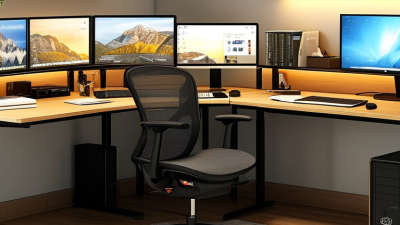
A 60-inch-wide desk offers a practical starting point for most computer setups. It can support one monitor, a keyboard, speakers, and a small writing area. Measure twice. Do not assume every 60-inch desk feels equally spacious. A thick frame, built-in drawers, or rear cable tray can reduce usable surface space. Check the actual desktop dimensions before purchasing.

Depth matters as much as width. A 24- to 30-inch depth usually provides comfortable monitor distance and room for your hands. Measure the monitor stand, not just the screen. I once chose a desk that looked wide enough, but its shallow top pushed the keyboard too close. That mistake made long work sessions uncomfortable. Keep it practical.

Consider the room around the desk. Leave enough clearance for your chair, drawers, and walking path. A black finish can look refined, yet dust and fingerprints may appear quickly under bright lighting. Test the intended location with painter’s tape on the floor. This simple step reveals whether a 60-inch desk truly fits your workspace. The benchmark guides the decision, but your equipment and habits should control it.

Check Ergonomic Height Against the 28–30-Inch Industry Standard

7 Tips for Choosing the Best Black Computer Desk

Tip 1: Measure the height carefully. A 28–30-inch desk fits many seated users, but it is not a universal rule. OSHA’s Computer Workstations eTool stresses neutral elbows, wrists, and shoulders instead of one fixed measurement. Your chair height matters too.

Tip 2: Sit with your feet flat. Your elbows should stay near a 90–120-degree angle while typing. ANSI/HFES 100-2007 supports this neutral posture range for computer workstations.

I once used a beautiful desk that forced my shoulders upward. It looked right, but felt wrong.

Tip 3: Check whether the black desk has adjustable legs. Even a half-inch difference can change wrist pressure during long sessions.

Tip 4: Place the keyboard near the front edge, leaving enough room for relaxed wrists. Cornell University’s Human Factors and Ergonomics Laboratory recommends positioning input devices within easy reach.

Tip 5: Measure monitor height separately. OSHA advises placing the screen top at, or slightly below, eye level. A deep desktop may push the monitor too far away.

Tip 6: Test the writing surface before buying. Sit for ten minutes, not ten seconds.

Tip 7: Inspect the underside for a support bar, drawers, or cable tray. These features can steal knee space.

The 28–30-inch industry range is useful, but imperfect; shorter users may need a lower surface, while taller users may need a keyboard tray. A black finish hides dust, fingerprints, and small scratches surprisingly well. It also makes poor lighting easier to overlook.

Compare Desktop Materials Through ANSI/BIFMA Durability Criteria

7 Tips for Choosing the Best Black Computer Desk

A black computer desk should look refined, but appearance cannot prove durability. Compare materials through relevant ANSI/BIFMA test criteria, not marketing language. These standards evaluate furniture strength, stability, durability, and safety under repeated use. Ask whether the entire desk was tested. A tested leg is not proof of a tested workstation.

Solid wood often handles screw loads well and can be repaired after minor damage. However, it may expand or contract with humidity. Wood veneer over a stable panel offers a warmer appearance with better dimensional control. Inspect the edge carefully. Weak edging can lift after years of cleaning and moving equipment.

Engineered wood with a sealed laminate surface is practical for daily office work. Check its resistance to abrasion, moisture, and impact. A black laminate can hide stains, yet fine dust and scratches may show under bright light. Metal frames should resist wobbling during typing and support the stated load. Look for stability testing, joint-cycle results, and clear weight limits.

Measure the desktop before buying. Leave space for a monitor arm, speakers, and cable openings. A large surface can still feel cramped. I once underestimated knee clearance, and the desk became uncomfortable after long sessions. That mistake changed my checklist. I now test sitting posture, edge comfort, and movement before trusting a product description. Reliability also means reviewing assembly instructions, warranty terms, and independent test documentation.

7 Tips for Choosing the Best Black Computer Desk? - Compare Desktop Materials Through ANSI/BIFMA Durability Criteria

Desktop Material Static Load
Performance
Resistance to
Repeated Use
Moisture
Resistance
Abrasion and
Scratch Resistance
Fastener-Holding
Strength
Edge and Impact
Durability
ANSI/BIFMA-Oriented Considerations Best Choice When...
Particleboard with Laminate Medium Medium Low–Medium Medium–High Medium Low–Medium Check the complete desk assembly for static-load, stability, racking, and durability testing. Sealed edges are important because exposed cores can swell. You want an economical black desk for light to moderate computer use and the desktop has a durable, fully bonded surface.
MDF with Melamine or Laminate Medium–High Medium–High Medium High Medium Medium Evaluate panel deflection under load, joint durability, screw retention, and edge protection. MDF is dense and smooth but can be damaged by prolonged water exposure. You prefer a smooth black surface, consistent appearance, and better everyday rigidity than standard particleboard.
Plywood with Protective Finish High High Medium–High Medium–High High High Cross-laminated layers generally improve dimensional stability, screw retention, and resistance to splitting. Test the finished desk, including joints and support locations. You need a durable work surface for heavier monitors, frequent repositioning, or long-term daily use.
Solid Hardwood with Black Finish High High Medium Medium–High High High Consider seasonal movement, joint construction, finish adhesion, impact resistance, and the stability of the complete frame. A strong material does not replace proper structural design. You want a premium appearance, strong screw retention, and a desktop that can be refinished after years of use.
Steel Desktop or Steel Panel Very High Very High High High High High Check weld quality, fastener joints, sharp-edge protection, coating adhesion, corrosion resistance, stability, and tip-over behavior under the applicable desk test procedure. You prioritize maximum structural durability, moisture tolerance, and a modern industrial appearance.
Glass with Metal Support Medium Medium High Medium Low–Medium Low–Medium Verify the use of safety glass, edge treatment, impact resistance, support spacing, stability, and protection against concentrated loads. You value a sleek appearance and easy cleaning, and your equipment load is moderate and carefully distributed.
Bamboo Panel with Protective Coating High Medium–High Medium Medium–High High High Assess panel bonding, finish durability, moisture protection, screw retention, joint strength, and dimensional stability of the complete desk. You want a rigid renewable-material panel with a distinctive surface and are willing to maintain the protective finish.
Rating guide: Very High = generally strongest material performance in this category; High = strong performance when properly designed and finished; Medium = suitable for normal use but sensitive to design or maintenance; Low = requires additional protection or careful loading.
Important: ANSI/BIFMA durability compliance applies to the tested desk model and its complete construction, not to the desktop material alone. Always confirm the manufacturer’s declared test results, maximum load, stability information, and care instructions.

Evaluate Storage, Cable Management, and Weight Capacity Requirements

When choosing a black computer desk, start with your real workload, not the room photo. The U.S. Bureau of Labor Statistics reported that 22.5% of employed people worked from home on an average day in 2023. That makes practical storage more important than decorative design. Measure your monitor stand, notebooks, headphones, and charging devices first. A drawer around 35 centimeters wide can hold daily items without swallowing legroom. Open shelves suit larger equipment, but they collect visible dust against a black surface. I learned that the hard way.

Check cable management before admiring the finish. Look for rear cutouts, a cable tray, and enough space for bulky power adapters. OSHA’s Computer Workstations eTool recommends keeping cables arranged to reduce trip hazards and awkward reaching. Place the power strip under the desktop, not on the floor beside your feet. Small detail. It matters.

Weight capacity needs careful reading. ANSI/BIFMA X5.5 performance testing evaluates desk strength and durability, but it does not create one universal safe load for every desk. Compare the stated capacity with your computer, monitor arms, speakers, and future additions. Use the manufacturer’s evenly distributed limit, not a hopeful estimate. A dual-monitor arm can concentrate force near one edge. I still underestimate that pressure sometimes. Choose a frame that feels rigid during typing, with adjustable feet for uneven flooring. Black finishes hide minor marks, but they also reveal fingerprints under direct light.

Match Black Finishes, Lighting, and Maintenance to Your Room Design

7 Tips for Choosing the Best Black Computer Desk

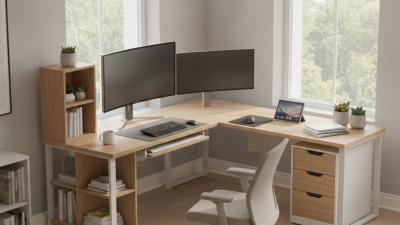
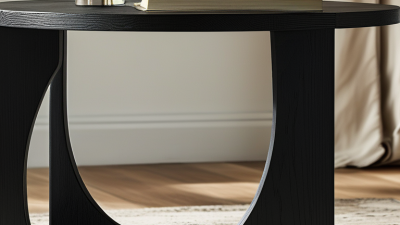
A black computer desk can anchor a room, but its finish must match the surrounding design. Matte black reduces glare and looks calm beside warm wood, cream walls, or woven textures. Satin finishes reflect more light, so they suit brighter rooms with clean, modern furniture. I once placed a glossy desk near a sunny window, and fingerprints became visible every afternoon. That mistake changed how I judge finishes.

Check the lighting before choosing the desk. Natural light should fall from the side, not directly behind the monitor. A warm desk lamp can soften a cold black surface, while a neutral white lamp supports detailed work. Measure the room carefully, including chair movement and cable space. A desk may fit against the wall but still make the walkway feel cramped. Leave enough clearance for comfortable entry.

Material affects maintenance and daily reliability. Powder-coated metal usually handles frequent wiping well, while textured laminate can hide small marks. Use a soft, slightly damp cloth instead of harsh cleaners, which may dull the surface. Add a desk mat if you write often or use heavy equipment. Keep drinks on a separate coaster. Small habits matter. I still overlook cable dust under the rear edge, so I now inspect that area weekly. A black desk shows less dust from across the room, but close lighting reveals everything.